
Your Discord pings don’t have to run your day
You open Discord to check one thing, and the red badges have multiplied across servers. A friend’s meme, a raid signup, a class channel debating homework, a side-project thread that won’t die—everything arrives with the same urgency. That’s how Discord steals attention: it doesn’t just notify you, it mixes “nice to know” with “act now.”
The fix isn’t going silent. It’s making your alerts mean something again by deciding what deserves real-time and what can wait until you choose to look. The annoying part is Discord has layers—phone settings, desktop settings, server settings, channel overrides—so a quick change in the wrong place can either do nothing or wipe out important pings. Getting control starts with one simple question: what truly needs to reach you immediately?
What actually deserves real-time: friends, raids, deadlines?
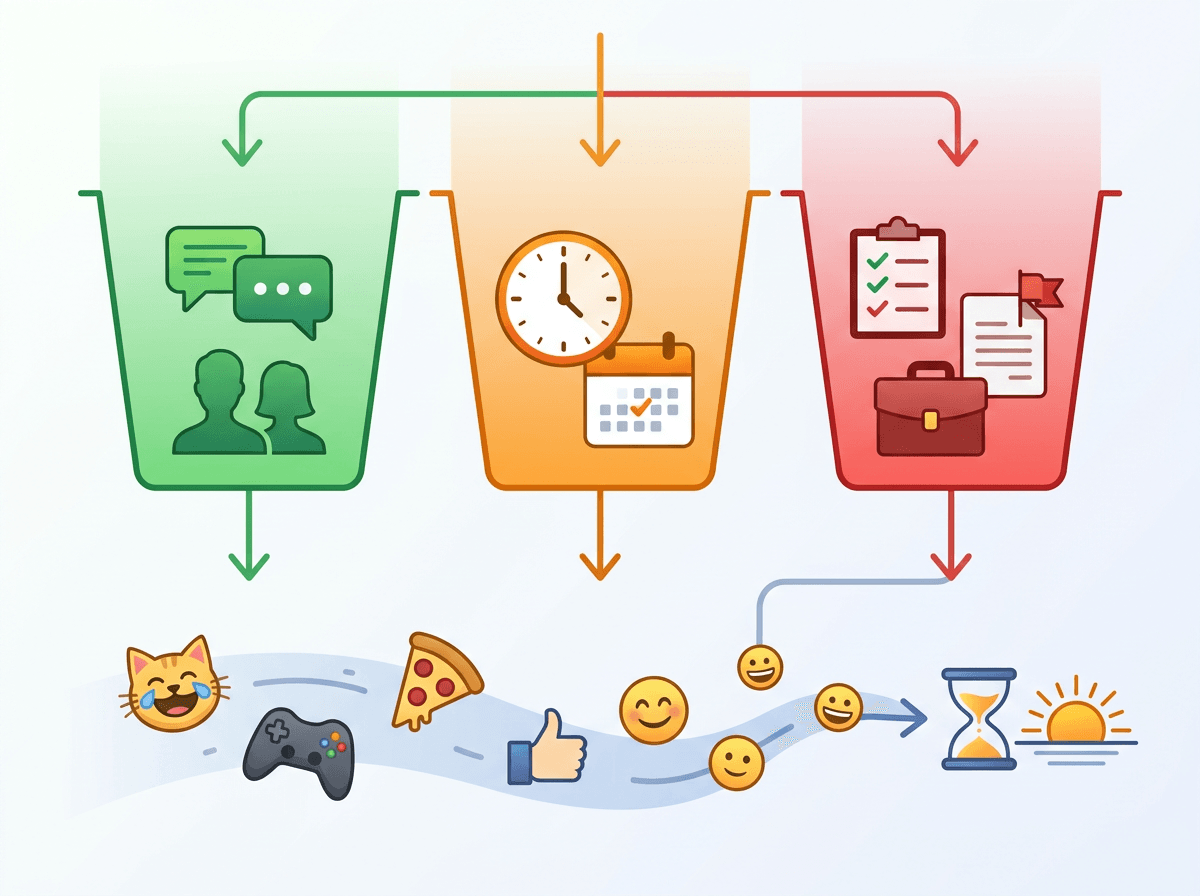
You’re usually not overwhelmed by Discord itself—you’re overwhelmed because everything shows up like it needs an answer right now. So decide what “real-time” means for you in three buckets: people, time-sensitive events, and true deadlines. If a close friend DMs, you probably want that instantly. If your raid starts at 8:00 PM, you want signup changes and “we’re forming” messages fast. If a class or work channel posts a due date change, that’s worth a ping.
Everything else is “pull” information: memes, long debates, build logs, casual chat. Those can wait until your next check-in. The hard part is being honest about your schedule. If you’re in meetings or on shift, real-time notifications just turn into missed-notification guilt. Lock in what you’ll actually act on, and the rest gets handled by server and channel settings.
When a whole server is noise, mute it first
You join a server for one useful thing—maybe a raid group, a club, or a tool update—and then it turns into all-day chatter. If you keep trying to “fix” it by swiping away banners, you’ll keep losing. Mute the entire server first. On desktop or mobile, open the server menu, choose Notification Settings, and set it to Nothing (or at least Only @mentions if you’re not ready to fully cut it).
This feels risky because it’s blunt. It is. If the server sometimes posts something that matters, you’ll stop hearing about it until you add back the few channels that earn a ping. That’s the point: start with silence, then re-enable signal on purpose.
Channel-by-channel: keep announcements, silence the chatter
You mute a server, breathe for a second, and then remember the one channel that actually matters: #announcements, #raid-updates, or #assignments. That’s where channel overrides pay off. Open the channel, tap or click the channel name, then go to Notification Settings and turn on alerts for that channel even if the server is muted. Keep this list short: one or two “signal” channels per server is usually enough.
Do the opposite for chatter hubs. For #general, #memes, and any “live” chat channel, set them to Nothing so they stop leaking into your day. The real-world downside: if people post important info in the wrong place, you won’t see it until you check in—so pick one official channel you trust, or you’ll end up unmuting everything again.
Mentions-only or everything? Choose your ‘tap now’ signals
You’re in a server where #announcements is useful, but people also @everyone for jokes or “quick questions.” If you leave notifications on All Messages, you’ll get trained to ignore banners. If you go too far and set everything to Nothing, you’ll miss the one moment you actually needed to respond. For most busy servers, Only @mentions is the sweet spot: it keeps “tap now” tied to a direct callout, not general activity.
Then tighten what counts as a callout. If a server overuses @everyone/@here, consider turning off those pings in that server’s notification settings while keeping regular @mentions on. Roles are the other lever: if you opt into a role that gets pinged for raids or project tasks, that’s a real signal—until you collect five “maybe useful” roles and they all light up your phone. Keep only the roles you’ll act on today, and drop the rest.
Exceptions that save you: keywords, threads, and pin-worthy channels
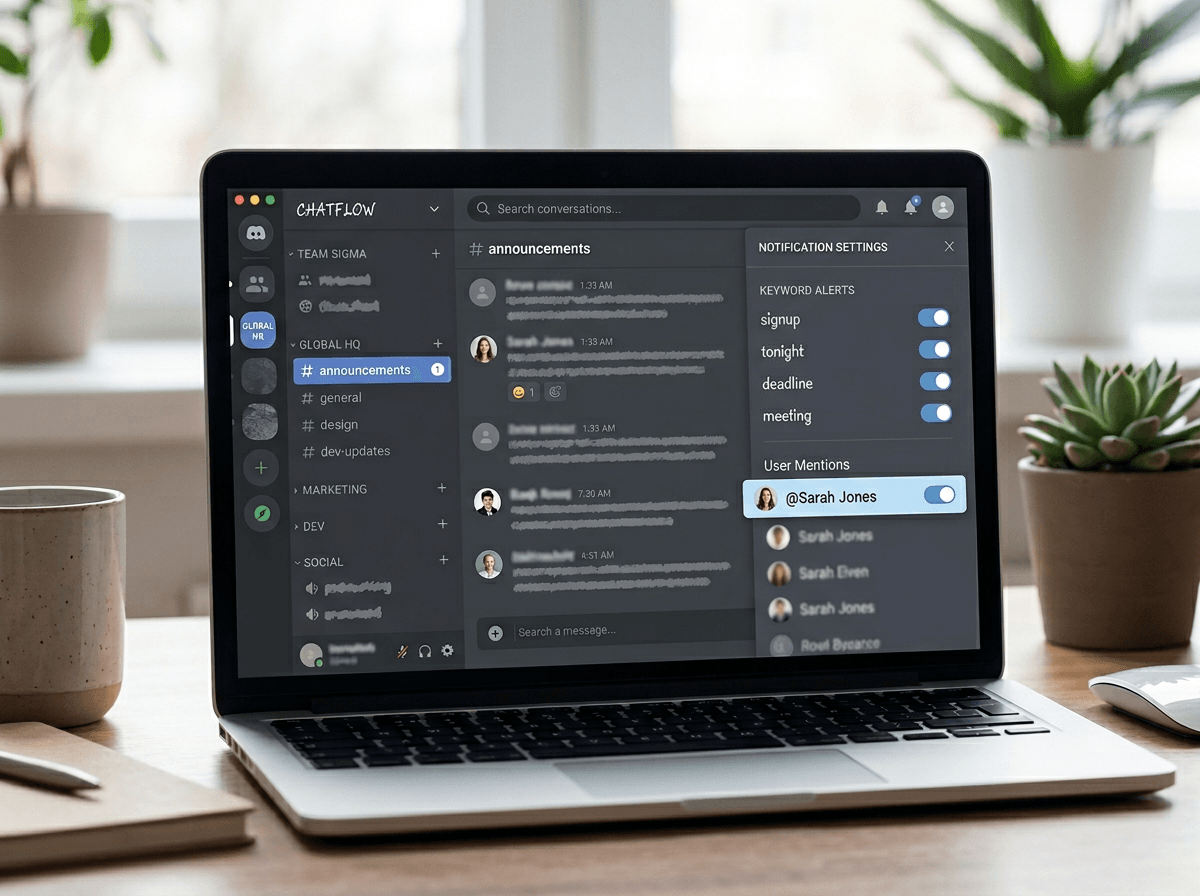
You mute a server, turn on one announcements channel, and still feel uneasy because the “important” stuff doesn’t always land where it should. That’s where exceptions earn their keep. Add a few keywords you’ll actually react to—“signup,” “tonight,” “deadline,” your in-game name—so you can stay on mentions-only but still catch the messages that matter. Keep the list short, or you’ll recreate the same noise with different triggers.
Threads help, too. If a project or raid plan lives in a thread, follow it and lean on thread notifications instead of reopening an entire chat channel. And if one channel is worth checking daily but not interrupting you, make it “pin-worthy” in practice: favorite it, bookmark key messages, and treat it as a quick check-in spot. The cost is discipline—you have to actually do the check-in.
Quiet hours across phone and desktop without missing emergencies
You’ll feel it most at night: you set Discord to behave, then your phone still lights up because the OS is letting banners through, or your desktop keeps chiming while you’re trying to focus. Set quiet hours in two places. On your phone, use Do Not Disturb/Sleep and allow exceptions only for people who are true emergencies (a partner, a raid lead, a classmate on your group project). On desktop, mute Discord sounds entirely during work blocks, or use Focus Assist (Windows) / Focus (macOS) so Discord can’t cut through.
The limitation is obvious: Discord doesn’t know what’s “urgent,” so your “emergency lane” has to be DMs and a tiny whitelist. If something can’t reach you that way, it’s not an emergency—save it for check-ins.
A quick weekly reset so notifications stay useful
By the end of a busy week, settings drift. You join a new server “for one thing,” accept a role, follow a thread, and suddenly your phone is back to buzzing like it used to. Set a 10-minute weekly reset: open Discord’s notification settings, scan “recently noisy” servers, and flip anything that isn’t earning real-time to Nothing or Only @mentions.
Then check your exceptions: remove keywords you didn’t act on, unfollow threads that went stale, and drop roles you haven’t responded to in two weeks. The annoying part is it’s manual, but that’s why it works—your life changes faster than your server list.