
The $99 soundbar temptation when TV audio disappoints
You turn the TV up, and the explosions get louder while the voices stay mushy. After a couple nights of riding the volume button, a $99 “no-frills” soundbar starts to look like the painless fix: one slim box, one cable, done.
Sometimes it helps a little. Often it just changes the problem. Cheap bars can boost the whole mix without separating speech, and they can add small daily hassles—another remote, finicky TV volume control, or audio that feels slightly late when you’re watching quietly at night.
The hard part is that product listings make these bars look identical. A few quick clues can tell you when you’re about to pay for annoyance instead of a real upgrade.
Reason 1: Louder isn’t clearer for dialogue

You’ll see it right away on a familiar scene: news anchors, a quiet drama, anyone talking over background music. You bump the volume, the room fills up, and the consonants still smear together. That’s because most cheap soundbars mainly add output and a little bass, but they don’t do much to separate the “voice band” from everything else. So the mix gets bigger, not cleaner.
If the listing leans hard on watts, “deep bass,” or “surround,” but says little about dialogue control, expect the same struggle at a higher volume. Look for plain-language features like a dedicated center channel, a clear “dialogue/voice” mode that’s adjustable (not just on/off), or support for a center channel in the format it accepts. Without that, you may end up turning it up and still riding subtitles—then shopping again sooner than you planned.
Reason 2: Extra remotes and flaky TV control
You notice it the first week when you’re half-watching a show and reach for volume out of habit. The TV remote stops feeling “in charge,” so you end up with two remotes on the couch—or you use the soundbar remote and it goes missing. Even when you set up HDMI ARC, budget bars often get flaky: the bar doesn’t wake up with the TV, volume jumps in big steps, or the TV randomly switches audio back to its own speakers.
If-then rule: if the listing is vague about “CEC/ARC” (or buries it in a blurry photo), assume daily friction. Look for explicit HDMI ARC (not just optical), clear mention of CEC control, and a note that the bar supports your TV brand’s volume commands. The downside is time: you can burn an hour in settings menus, then still have to reboot gear when it misbehaves—usually right when you just wanted a quiet, late-night watch.
Reason 3: Lip-sync and processing surprises at night
You notice it when you turn the volume down at night. The picture looks fine, but the dialogue starts to feel a hair late, like mouths don’t quite match the words. Cheap soundbars often add delay because they’re doing extra processing—virtual surround, “3D” modes, or heavy EQ—while your TV is also trying to do its own audio work. When both take a turn, the lag stacks up.
Listings rarely say “latency,” so you have to infer it. If a bar brags about surround effects but has no lip-sync adjustment (often called “AV sync” or “audio delay”), you’re gambling. Optical connections can limit control, and Bluetooth TV-to-bar setups are worse for timing. The real cost is the nightly routine: switching modes, toggling “game” or “movie,” then realizing your fix made voices thinner. A bar that lets you set delay in small steps is the difference between “fine” and constantly noticing it.
Reason 4: Connections and codecs that box you in
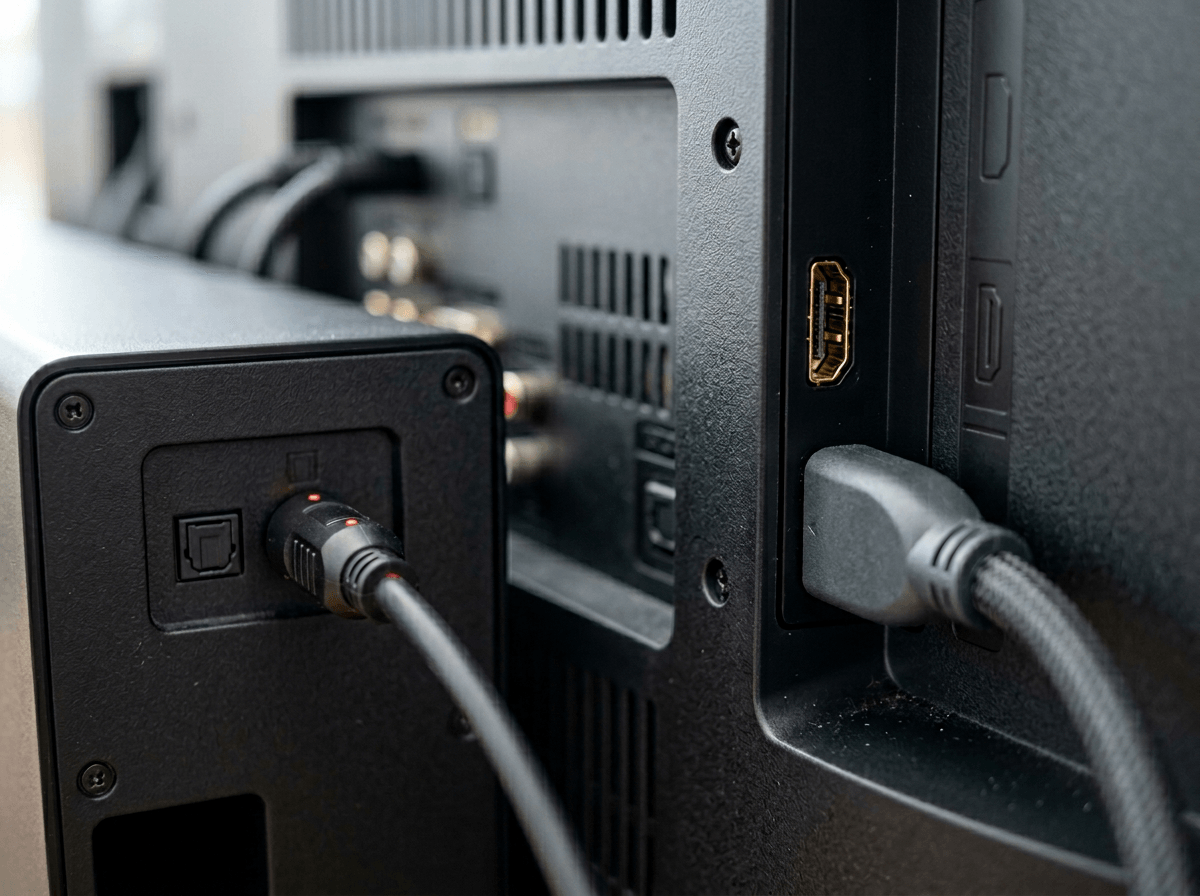
You run into it when you add one more thing: a game console, a streaming box, or a Blu-ray player. The cheap bar has one input (or none), so everything must go through the TV. If your TV only passes basic Dolby Digital—or downmixes newer formats—you can’t “fix” that later with settings. You’ll just keep hearing flatter audio, even from good sources.
Listings love to say “HDMI” without saying eARC, supported formats, or whether it can decode Dolby Digital Plus (common for streaming). If you see only optical, or “ARC” with no eARC and no codec list, assume limits: no Atmos from many apps, no lossless from discs, and sometimes forced stereo from certain devices. The annoying part is how it shows up: you swap apps, the volume changes, voices shift, and you start blaming the show instead of the connection. The next section is about scanning a listing fast so you don’t miss these tells.
A 60-second listing scan before you click buy
You’re usually staring at three tabs that all claim “ARC,” “surround,” and “subwoofer,” and the prices are close enough that you could talk yourself into any of them. The trick is to stop reading the marketing line and scan for four plain items that predict day-to-day use.
In 60 seconds: (1) Find the connection line—look for HDMI ARC with CEC stated clearly, not just “HDMI” or “optical.” (2) Look for a real dialogue tool—an adjustable voice/dialog setting, or a true center channel; skip listings that only brag about watts. (3) Check for lip-sync control—words like “AV sync,” “audio delay,” or a step-based adjustment; if it’s missing, you’re the tester. (4) Check the codec list—at minimum Dolby Digital and Dolby Digital Plus; “supports Dolby” without specifics is often code for “basic only.”
If any of those are absent or buried in a blurry spec photo, assume setup time, returns, or living with quirks—then spend your budget on a cleaner path instead.
Better ways to spend $80–$250 right now
You’re at the point where you either roll the dice on a “basic bar,” or you buy something that stays useful even if you upgrade later. In the $80–$250 range, the easiest win for clearer speech is often a small pair of powered bookshelf speakers (2.0) with an optical input, or a compact 2.1 setup. You lose the “one slim bar” look, but you gain real left/right separation, which helps dialogue pop without cranking the whole mix.
If you want the simplest living-room feel, spend the same money on a used or open-box soundbar from a tier up—one with HDMI eARC, a real voice control, and a lip-sync adjustment. The catch is time: you’ll need 20 minutes to confirm inputs, reset it, and test ARC/CEC with your TV before you commit.
If none of that fits, the best “upgrade” is waiting and stacking budget until you can buy a bar that won’t force optical or vague codec support.
Make the upgrade feel permanent, not disposable
You feel the “disposable” vibe when the box is working, but you’re already thinking about the next fix: a bigger sub, better dialogue, fewer glitches. Make this purchase something you can keep by choosing gear with a clear path forward. If it’s a soundbar, prioritize HDMI eARC, a real dialogue control you can adjust, and at least one extra HDMI input so a new streamer or console doesn’t force a full reroute. If it’s speakers, make sure you can still use them later with a simple receiver.
Then lock it in: run HDMI/optical cleanly, label inputs, and save your TV audio settings. The annoying part is physical reality—power outlets, cable length, and where a sub can actually sit—so measure before you buy and you won’t end up returning “perfect on paper” gear.